---
title: Progressive profiling
description: Gradually collect user information through customizable multi-step forms using the progressive profiling plugin
sidebar:
order: 80
---
## Overview
This tutorial shows you how to add progressive profiling functionality to your **SuperTokens** authentication flows.
The guide makes use of the `plugins` functionality which provides a step-by-step user profile collection system with customizable forms and field types.
This way you can gather user information gradually, during the sign up process.
## How it works
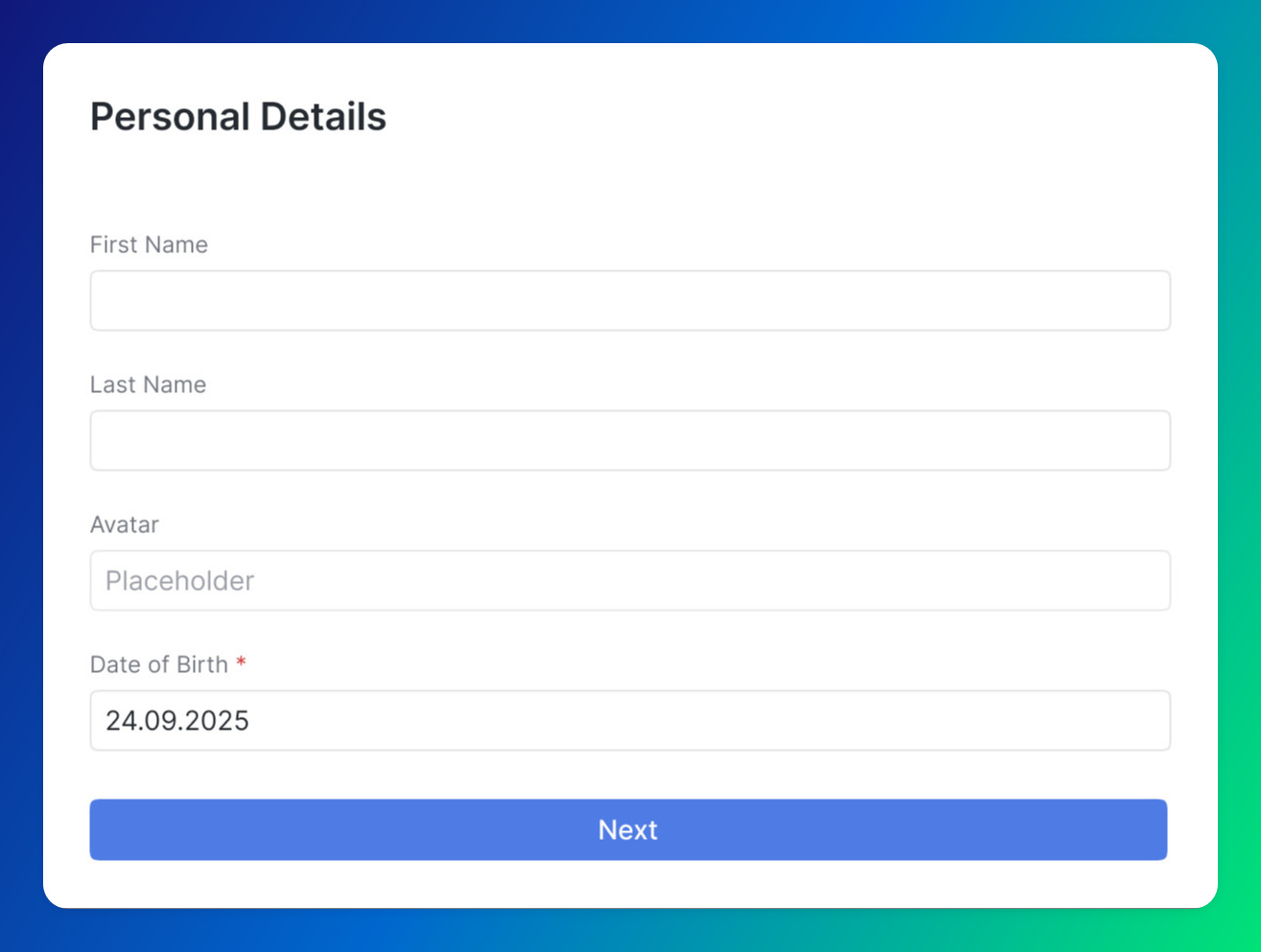
The plugin breaks profile collection into manageable sections.
It automatically enforces profile completion through session claims, redirecting users to the setup page until their profile is complete.
The system provides dynamic validation, progress tracking, and flexible storage options for collected data.
## Before you start
The progressive profiling plugin supports only the `React` and `NodeJS` SDKs.
Support for other platforms is under active development.
The implementation is in early stages and APIs might change.
For more information on how plugins work refer to the [references page](/references/plugins/introduction).
You need to start from a working **SuperTokens** setup.
If you haven't done that already, please refer to the [Quickstart Guides](/quickstart).
## Steps
### 1. Initialize the backend plugin
#### 1.1 Install the plugin
```bash
npm install @supertokens-plugins/progressive-profiling-nodejs
```
#### 1.2 Update your backend SDK configuration
```typescript
import SuperTokens from "supertokens-node";
import ProgressiveProfilingPlugin from "@supertokens-plugins/progressive-profiling-nodejs";
SuperTokens.init({
appInfo: {
appName: "My App",
apiDomain: "https://api.example.com",
},
recipeList: [
// your recipes (Session recipe is required)
],
experimental: {
plugins: [
ProgressiveProfilingPlugin.init({
sections: [
{
id: "basic-info",
label: "Basic Information",
description: "Tell us about yourself",
fields: [
{
id: "firstName",
label: "First Name",
type: "string",
required: true,
placeholder: "Enter your first name",
},
{
id: "lastName",
label: "Last Name",
type: "string",
required: true,
placeholder: "Enter your last name",
},
{
id: "company",
label: "Company",
type: "string",
required: false,
placeholder: "Enter your company name",
},
],
},
{
id: "preferences",
label: "Preferences",
description: "Customize your experience",
fields: [
{
id: "notifications",
label: "Email Notifications",
type: "boolean",
required: false,
defaultValue: true,
},
{
id: "theme",
label: "Preferred Theme",
type: "select",
required: false,
options: [
{ value: "light", label: "Light" },
{ value: "dark", label: "Dark" },
{ value: "auto", label: "Auto" },
],
defaultValue: "auto",
},
],
},
],
}),
],
},
});
```
##### Supported field types
The plugin supports the following field types:
| Field Type | Description | Example Use Case |
|------------|-------------|------------------|
| `string` | Single-line text input | Name, title, company |
| `text` | Multi-line text area | Bio, description, comments |
| `number` | Numeric input | Age, salary, years of experience |
| `boolean` | Checkbox input | Newsletter subscription, terms acceptance |
| `toggle` | Toggle switch | Feature preferences, notifications |
| `email` | Email input with validation | Contact email, secondary email |
| `phone` | Phone number input | Contact number, emergency contact |
| `date` | Date picker | Birth date, start date |
| `select` | Dropdown selection | Country, department, role |
| `multiselect` | Multiple selection dropdown | Skills, interests, languages |
| `password` | Password input | API keys, secure tokens |
| `url` | URL input with validation | Website, social profiles |
| `image-url` | Image URL input with preview | Profile picture, logo |
:::info
The plugin provides built-in validation for form fields:
- **Required Fields**: Automatically validates that required fields are not empty
- **Field Type Validation**: Ensures values match the expected field type
:::
### 2. Initialize the frontend plugin
#### 2.1 Install the plugin
```bash
npm install @supertokens-plugins/progressive-profiling-react
```
#### 2.2 Update your frontend SDK configuration
```typescript
import SuperTokens from "supertokens-auth-react";
import ProgressiveProfilingPlugin from "@supertokens-plugins/progressive-profiling-react";
SuperTokens.init({
appInfo: {
appName: "My App",
apiDomain: "https://api.example.com",
websiteDomain: "https://example.com",
},
recipeList: [
// your recipes
],
experimental: {
plugins: [
ProgressiveProfilingPlugin.init({
setupPagePath: "/user/setup", // Optional: defaults to "/user/setup"
requireSetup: true, // Optional: defaults to true
showStartSection: true, // Optional: defaults to true
showEndSection: true, // Optional: defaults to true
onSuccess: async (data) => {
// Optional: callback after successful profile completion
console.log("Profile completed:", data);
},
}),
],
},
});
```
### 3. Test the implementation
With this configuration, users automatically get redirected to the profile setup page after authentication.
Try to authenticate and check if you get sent to the new form.
## Customization
### Storage handlers
By default, the plugin stores profile data using the `User Metadata` recipe.
You can also implement your custom storage solution by overriding the `defaultStorageHandlerSetFields` and `defaultStorageHandlerGetFields` functions.
```typescript check=false reason="Partial configuration example"
import SuperTokens from "supertokens-node";
import ProgressiveProfilingPlugin from "@supertokens-plugins/progressive-profiling-nodejs";
SuperTokens.init({
supertokens: {
connectionURI: "...",
},
appInfo: {
// your app info
},
recipeList: [
// your recipes
],
experimental: {
plugins: [
ProgressiveProfilingPlugin.init({
sections: [
{
id: "basic-info",
label: "Basic Information",
description: "Tell us about yourself",
fields: [
{
id: "firstName",
label: "First Name",
type: "string",
required: true,
placeholder: "Enter your first name",
},
{
id: "lastName",
label: "Last Name",
type: "string",
required: true,
placeholder: "Enter your last name",
},
{
id: "company",
label: "Company",
type: "string",
required: false,
placeholder: "Enter your company name",
},
],
},
],
override: (oI) => ({
...oI,
defaultStorageHandlerSetFields: async ({ pluginFormFields, data, session, userContext }) => {
const userId = session.getUserId(userContext);
const existingProfile = await customGetProfileData(userId);
const profile = pluginFormFields.reduce(
(acc, field) => {
const newValue = data.find((d) => d.fieldId === field.id)?.value;
const existingValue = existingProfile?.[field.id];
return {
...acc,
[field.id]: newValue ?? existingValue ?? field.defaultValue,
};
},
{ ...existingProfile },
);
// Implement your own logic for storing profile data
await customSetProfileData(userId, profile);
},
defaultStorageHandlerGetFields: ({ pluginFormFields, session, userContext }) => {
const userId = session.getUserId(userContext);
// Implement your own logic for fetching profile data
const existingProfile = await customGetProfileData(userId);
return pluginFormFields.map((field) => ({
sectionId: field.sectionId,
fieldId: field.id,
value: existingProfile[field.id] ?? field.defaultValue,
}));
},
}),
}),
],
},
});
```
### User interface
To create your own UI you can use the `usePluginContext` hook.
It exposes an interface which you can use to interface with the endpoints exposed by the backend plugin.
```tsx check=false reason="Requires surrounding application context"
import { usePluginContext } from "@supertokens-plugins/progressive-profiling-react";
function CustomProfileComponent() {
const { api, t } = usePluginContext();
const [profile, setProfile] = useState([]);
const handleLoadProfile = async () => {
const result = await api.getProfile();
if (result.status === "OK") {
setProfile(result.data);
}
};
const handleUpdateProfile = async (data) => {
const result = await api.updateProfile({ data });
if (result.status === "OK") {
console.log("Profile updated successfully");
} else if (result.status === "INVALID_FIELDS") {
console.error("Validation errors:", result.errors);
}
};
return (
{t("PL_PP_SECTION_PROFILE_START_LABEL")}
{/* Your custom form components */}
);
}
```
:::info[pre-built UI]
You can integrate the pre-built UI into other pages/components by importing the `UserProfileWrapper` component:
```tsx
import { UserProfileWrapper } from "@supertokens-plugins/progressive-profiling-react";
function MyApp() {
return (
);
}
```
:::
### Form fields validation
To change the default validation behavior you can override the `validateField` function:
```ts check=false reason="Partial configuration example"
import SuperTokens from "supertokens-node";
import ProgressiveProfilingPlugin from "@supertokens-plugins/progressive-profiling-nodejs";
SuperTokens.init({
supertokens: {
connectionURI: "...",
},
appInfo: {
// your app info
},
recipeList: [
// your recipes
],
experimental: {
plugins: [
ProgressiveProfilingPlugin.init({
sections: [
{
id: "basic-info",
label: "Basic Information",
description: "Tell us about yourself",
fields: [
{
id: "firstName",
label: "First Name",
type: "string",
required: true,
placeholder: "Enter your first name",
},
{
id: "lastName",
label: "Last Name",
type: "string",
required: true,
placeholder: "Enter your last name",
},
{
id: "company",
label: "Company",
type: "string",
required: false,
placeholder: "Enter your company name",
},
],
},
],
override: (oI) => ({
...oI,
validateField: ({ field, value }) => {
// Custom logic to validate field values
if (field.required && value === "") {
return "Field is required";
}
// Return undefined if validation passes
return undefined;
},
}),
}),
],
},
});
```
## Next steps
Besides progressive profiling, you can also explore other user management features:
Implement user banning functionality to restrict access.
Implement role-based access control for your users.
General information on how plugins work.
 ## Customization
### Storage handlers
By default, the plugin stores profile data using the `User Metadata` recipe.
You can also implement your custom storage solution by overriding the `defaultStorageHandlerSetFields` and `defaultStorageHandlerGetFields` functions.
```typescript check=false reason="Partial configuration example"
import SuperTokens from "supertokens-node";
import ProgressiveProfilingPlugin from "@supertokens-plugins/progressive-profiling-nodejs";
SuperTokens.init({
supertokens: {
connectionURI: "...",
},
appInfo: {
// your app info
},
recipeList: [
// your recipes
],
experimental: {
plugins: [
ProgressiveProfilingPlugin.init({
sections: [
{
id: "basic-info",
label: "Basic Information",
description: "Tell us about yourself",
fields: [
{
id: "firstName",
label: "First Name",
type: "string",
required: true,
placeholder: "Enter your first name",
},
{
id: "lastName",
label: "Last Name",
type: "string",
required: true,
placeholder: "Enter your last name",
},
{
id: "company",
label: "Company",
type: "string",
required: false,
placeholder: "Enter your company name",
},
],
},
],
override: (oI) => ({
...oI,
defaultStorageHandlerSetFields: async ({ pluginFormFields, data, session, userContext }) => {
const userId = session.getUserId(userContext);
const existingProfile = await customGetProfileData(userId);
const profile = pluginFormFields.reduce(
(acc, field) => {
const newValue = data.find((d) => d.fieldId === field.id)?.value;
const existingValue = existingProfile?.[field.id];
return {
...acc,
[field.id]: newValue ?? existingValue ?? field.defaultValue,
};
},
{ ...existingProfile },
);
// Implement your own logic for storing profile data
await customSetProfileData(userId, profile);
},
defaultStorageHandlerGetFields: ({ pluginFormFields, session, userContext }) => {
const userId = session.getUserId(userContext);
// Implement your own logic for fetching profile data
const existingProfile = await customGetProfileData(userId);
return pluginFormFields.map((field) => ({
sectionId: field.sectionId,
fieldId: field.id,
value: existingProfile[field.id] ?? field.defaultValue,
}));
},
}),
}),
],
},
});
```
### User interface
To create your own UI you can use the `usePluginContext` hook.
It exposes an interface which you can use to interface with the endpoints exposed by the backend plugin.
```tsx check=false reason="Requires surrounding application context"
import { usePluginContext } from "@supertokens-plugins/progressive-profiling-react";
function CustomProfileComponent() {
const { api, t } = usePluginContext();
const [profile, setProfile] = useState([]);
const handleLoadProfile = async () => {
const result = await api.getProfile();
if (result.status === "OK") {
setProfile(result.data);
}
};
const handleUpdateProfile = async (data) => {
const result = await api.updateProfile({ data });
if (result.status === "OK") {
console.log("Profile updated successfully");
} else if (result.status === "INVALID_FIELDS") {
console.error("Validation errors:", result.errors);
}
};
return (
## Customization
### Storage handlers
By default, the plugin stores profile data using the `User Metadata` recipe.
You can also implement your custom storage solution by overriding the `defaultStorageHandlerSetFields` and `defaultStorageHandlerGetFields` functions.
```typescript check=false reason="Partial configuration example"
import SuperTokens from "supertokens-node";
import ProgressiveProfilingPlugin from "@supertokens-plugins/progressive-profiling-nodejs";
SuperTokens.init({
supertokens: {
connectionURI: "...",
},
appInfo: {
// your app info
},
recipeList: [
// your recipes
],
experimental: {
plugins: [
ProgressiveProfilingPlugin.init({
sections: [
{
id: "basic-info",
label: "Basic Information",
description: "Tell us about yourself",
fields: [
{
id: "firstName",
label: "First Name",
type: "string",
required: true,
placeholder: "Enter your first name",
},
{
id: "lastName",
label: "Last Name",
type: "string",
required: true,
placeholder: "Enter your last name",
},
{
id: "company",
label: "Company",
type: "string",
required: false,
placeholder: "Enter your company name",
},
],
},
],
override: (oI) => ({
...oI,
defaultStorageHandlerSetFields: async ({ pluginFormFields, data, session, userContext }) => {
const userId = session.getUserId(userContext);
const existingProfile = await customGetProfileData(userId);
const profile = pluginFormFields.reduce(
(acc, field) => {
const newValue = data.find((d) => d.fieldId === field.id)?.value;
const existingValue = existingProfile?.[field.id];
return {
...acc,
[field.id]: newValue ?? existingValue ?? field.defaultValue,
};
},
{ ...existingProfile },
);
// Implement your own logic for storing profile data
await customSetProfileData(userId, profile);
},
defaultStorageHandlerGetFields: ({ pluginFormFields, session, userContext }) => {
const userId = session.getUserId(userContext);
// Implement your own logic for fetching profile data
const existingProfile = await customGetProfileData(userId);
return pluginFormFields.map((field) => ({
sectionId: field.sectionId,
fieldId: field.id,
value: existingProfile[field.id] ?? field.defaultValue,
}));
},
}),
}),
],
},
});
```
### User interface
To create your own UI you can use the `usePluginContext` hook.
It exposes an interface which you can use to interface with the endpoints exposed by the backend plugin.
```tsx check=false reason="Requires surrounding application context"
import { usePluginContext } from "@supertokens-plugins/progressive-profiling-react";
function CustomProfileComponent() {
const { api, t } = usePluginContext();
const [profile, setProfile] = useState([]);
const handleLoadProfile = async () => {
const result = await api.getProfile();
if (result.status === "OK") {
setProfile(result.data);
}
};
const handleUpdateProfile = async (data) => {
const result = await api.updateProfile({ data });
if (result.status === "OK") {
console.log("Profile updated successfully");
} else if (result.status === "INVALID_FIELDS") {
console.error("Validation errors:", result.errors);
}
};
return (